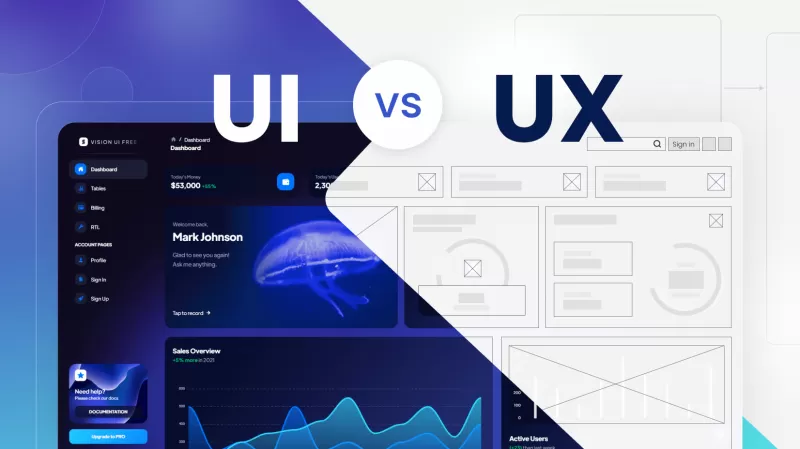
UX design (user experience) is about how easy and satisfying it is to reach a goal on your site: the structure, flows and usability. UI design (user interface) is how it looks and feels: layout, colors, typography and buttons. UX decides what goes where and why; UI makes it clear and attractive. Below we explain each role, the key differences and how they work together.
In the world of web design and development, terms like UX and UI are often used interchangeably, leading to confusion among clients and even within the industry. Understanding the nuances between these two disciplines is crucial for anyone involved in creating digital products. So, what is the difference between UX and UI design? This comprehensive guide will delve into the definitions, roles, processes, and key differences between UX and UI design to provide a clear and detailed understanding.
What is UX Design?
User Experience (UX) design is a human-first approach to designing products. It encompasses all aspects of the end-user's interaction with the company, its services, and its products. The goal of UX design is to create systems that provide a seamless, efficient, and enjoyable experience for users.
Key Aspects of UX Design
- Research and Analysis: UX design starts with understanding the users' needs, behaviors, and pain points. This involves conducting user research, surveys, and interviews to gather valuable insights.
- Information Architecture (IA): IA involves organizing and structuring content in a way that is logical and user-friendly. It ensures that users can find the information they need easily and efficiently.
- Wireframing and Prototyping: Wireframes are low-fidelity sketches of the product layout, serving as a blueprint. Prototypes are more detailed and interactive versions of wireframes, allowing for user testing and feedback.
- Usability Testing: This involves testing the product with real users to identify any usability issues and gather feedback. The goal is to refine and improve the product based on user interactions.
- Interaction Design: This focuses on creating intuitive and engaging interactions between the user and the product. It involves designing elements like buttons, menus, and other interactive components.
The Role of a UX Designer
A UX designer's role is multifaceted and involves several tasks, including:
- Conducting user research and creating user personas
- Developing wireframes and prototypes
- Conducting usability testing and analyzing results
- Collaborating with UI designers and developers to implement the design
Planning a new website or improving your current one? We can review your needs and suggest the right approach. Book a free consultation on WhatsApp
What is UI Design?
User Interface (UI) design is the process of designing the visual elements of a product. It focuses on the look and feel of the product, ensuring that it is aesthetically pleasing and aligned with the brand's identity. UI design is concerned with the overall visual experience and the interactive elements within the product.
Key Aspects of UI Design
- Visual Design: This involves choosing the right colors, typography, and imagery to create a visually appealing interface. Visual design also considers spacing, alignment, and consistency across the product.
- Branding: UI design ensures that the product reflects the brand's identity and values. This includes using the brand's colors, fonts, and style guidelines.
- Layout and Composition: This involves arranging elements on the screen in a way that is visually balanced and guides the user's attention effectively.
- Interactive Elements: UI design focuses on creating interactive components like buttons, sliders, and menus that are easy to use and understand.
- Responsive Design: Ensuring that the product looks and functions well on different devices and screen sizes is a crucial aspect of UI design.
The Role of a UI Designer
A UI designer's role is to create visually engaging and brand-consistent interfaces. Their tasks include:
- Designing the visual layout and style of the product
- Creating interactive elements and animations
- Ensuring consistency and coherence in the visual design
- Collaborating with UX designers and developers to implement the design
What is the Difference Between UX and UI Design?
Understanding what is the difference between UX and UI design is essential for anyone involved in digital product development. Here are the key differences:
- Focus and Scope: UX design focuses on the overall experience of the user, including their emotions, perceptions, and interactions with the product. UI design, on the other hand, focuses on the visual and interactive aspects of the product.
- Process and Deliverables: UX design involves research, wireframing, prototyping, and testing. The deliverables include user personas, wireframes, and prototypes. UI design involves creating visual designs and interactive elements, with deliverables like mockups, style guides, and interactive prototypes.
- User Interaction: UX design is concerned with how the product works and how users interact with it. UI design is concerned with how the product looks and feels to the user.
- Roles and Responsibilities: UX designers are responsible for user research, usability testing, and creating a seamless user experience. UI designers are responsible for the visual design, branding, and interactive elements of the product.
The Interplay Between UX and UI Design
While UX and UI design are distinct disciplines, they are deeply interconnected. A great user experience requires a seamless blend of both UX and UI design. Here’s how they complement each other:
- Collaboration: UX and UI designers often work together to create a cohesive product. UX designers focus on the structure and functionality, while UI designers bring the product to life with visual and interactive elements.
- User-Centered Design: Both UX and UI design prioritize the user’s needs and preferences. UX design ensures the product is usable and functional, while UI design ensures it is visually appealing and engaging.
- Iterative Process: The design process is iterative, involving continuous testing and refinement. UX and UI designers work together to gather feedback and make improvements to the product.
Frequently asked questions
Which comes first, UX or UI?
UX usually comes first, defining structure and user flows; UI design then turns those wireframes into the final visual interface.
Can one person do both UX and UI?
Yes, many designers work as UX/UI designers, especially in smaller teams, though larger projects often separate the roles.
Which tools do UX and UI designers use?
Figma is the most common for both, alongside research tools for interviews, surveys and usability testing.
Related articles
A professional website that brings clients
At Sympaweb we design and develop fast, SEO-ready business websites and online stores for clients in Jordan, the Gulf and beyond.
Get a free quote on WhatsApp
Last updated: November 2026
 Arabic
 Design Your Website Now!