 الإنجليزية
 صمم موقعك الأن!
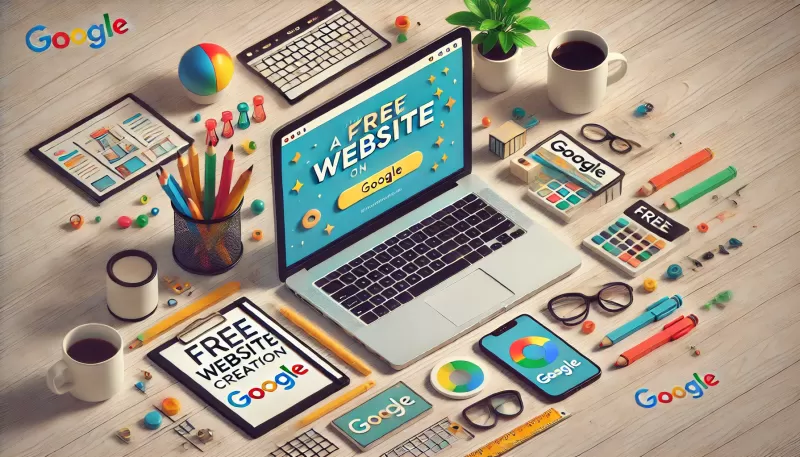
To create a free website on Google, open Google Sites with your Google account, choose a template, add pages and content, customize the theme, then publish to a sites.google.com address or connect your own domain. It is quick and free, but limited in design, SEO and features. Below are the steps and when to move to a professional site.
In today’s digital world, having a website is essential for businesses and individuals alike, as it enables effective communication with clients and audiences. Many tools and platforms are now available to help you create your website with ease. Among these tools is Google Sites, which offers an option for creating a free website on Google. In this article, we will explore how to use Google Sites to create a free website, highlighting the features of this service and the steps involved in building a site.
Google Sites is a free tool from Google that allows users to create simple and easy-to-use websites. You don't need any programming or design skills to create a site using this service, which makes it an ideal option for beginners or those who want to create a personal or basic business website. Google Sites offers user-friendly tools, such as drag-and-drop features, to add text, images, links, and other elements to your website pages.
To create a website using Google Sites, follow these steps:
First, make sure you're signed in to your Google account. If you don’t have an account, you can create one for free. Then, go to Google Sites by searching for “Google Sites” in the search bar or by visiting https://sites.google.com.
Once you're on Google Sites, you'll find several free templates to choose from. Select the template that suits your needs, or start with a blank project to create your custom design.
Using the drag-and-drop interface, you can start adding essential elements to your site, such as text, images, links, and tables. You can also add and format pages easily through the sidebar. Here are some tips for adding effective content:
You can customize your site’s design using the options available in Google Sites. Change colors, adjust fonts, and rearrange elements on the page. Although customization options are limited compared to professional website builders, they are sufficient to create a simple and functional site.
After adding content and customizing the design, you can preview the site to see the final look and how it will appear to visitors. Once you are satisfied with the result, click the “Publish” button in the top corner to make your site live on the internet. You will receive a free URL with the Google subdomain (sites.google.com), which you can share with others.
Planning a new website or improving your current one? We can review your needs and suggest the right approach. Book a free consultation on WhatsApp
While Google Sites offers a quick and easy solution for creating a free website on Google, it is not practical for building a professional website for a large project. Commercial websites require advanced functionalities, flexibility in design, and scalability to accommodate business growth, which Google Sites does not provide.
Creating a free website on Google can be a suitable option for beginners or small projects that do not require complex functionalities. However, if you’re aiming to build a professional website that reflects your project’s identity and can grow with your business, relying on free tools like Google Sites may not be practical. In this case, it is best to turn to a professional website design company like Sympaweb to ensure you get a site that meets all your needs and contributes to your project's success.
Yes. You only pay if you want a custom domain or Google Workspace features.
It can be indexed, but limited SEO controls make ranking for competitive keywords difficult.
Not natively; you would need to embed external payment links, which is limited for real stores.
At Sympaweb we design and develop fast, SEO-ready business websites and online stores for clients in Jordan, the Gulf and beyond.
Last updated: November 2026